
Stop typing orders.
Start importing them.
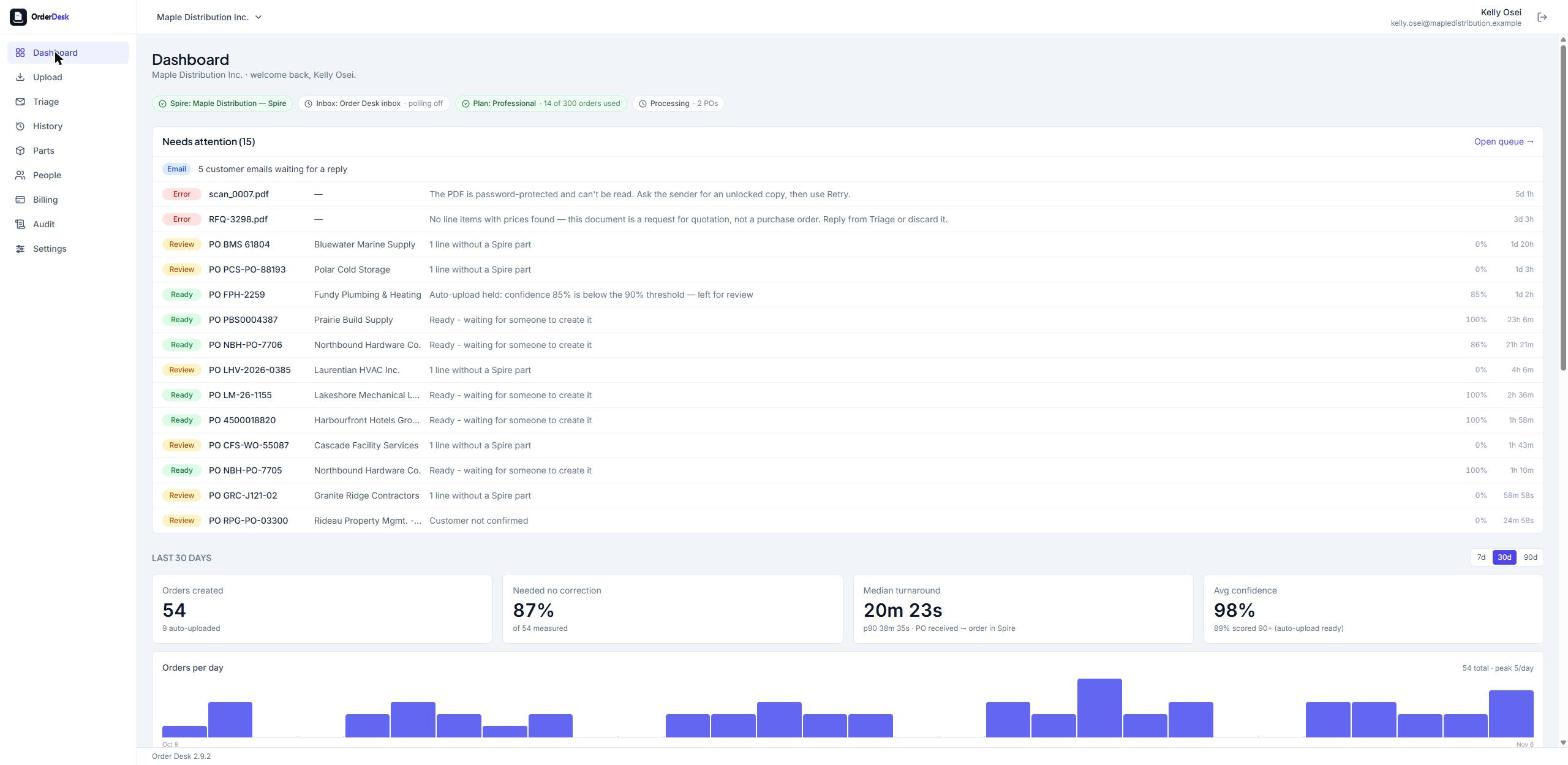
OrderDesk reads customer POs from email or upload, matches every line to your Spire items and customers, and creates clean sales orders in Spire after you review them.
- ✓5 free orders to try
- ✓No credit card required
- ✓Secure & private
The problem
Hours lost to data entry
Re-keying PDFs line by line is slow, and it pulls your best people off customer work.
Costly errors
One wrong part number or quantity means a wrong shipment, a credit note and an unhappy customer.
Slow turnaround
Orders wait in an inbox until someone has time to type them in.
How it works
Start to finish, in four steps.
- 01
Receive the PO
OrderDesk watches your orders inbox, or you drag in a batch of PDFs.
- 02
AI extracts it
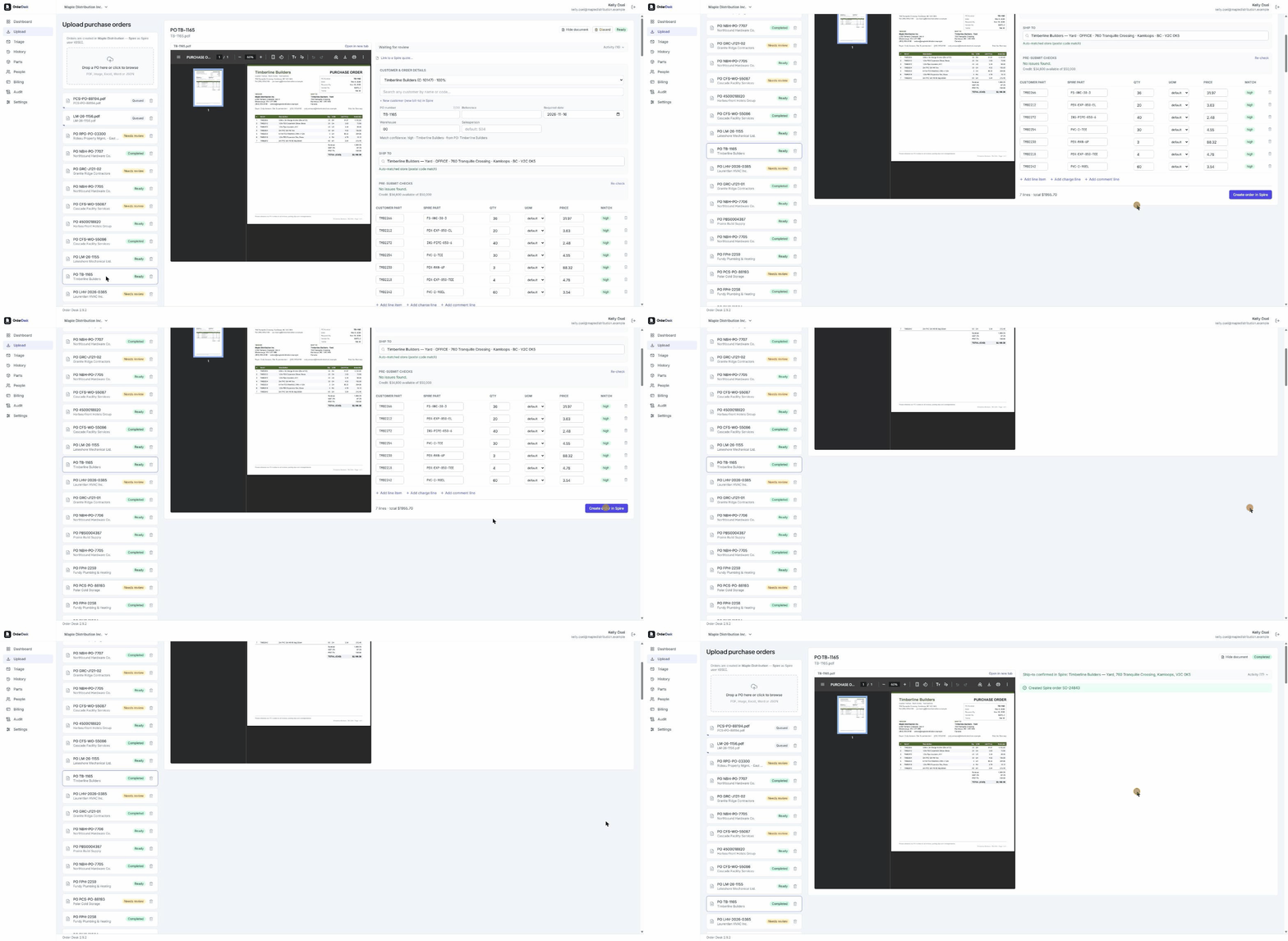
Customer, ship-to, lines, quantities and prices are read straight from the document.
- 03
Smart matching
Customer part numbers and descriptions are matched to your Spire inventory and the customer's pricing.
- 04
Review & post
Check anything flagged, approve, and the sales order lands in Spire.
What's included
Reads any PO, in any format
PDFs, scans and photos, Excel, Word, CSV and web-store order files. No templates to set up per customer.
Learns each customer
Remembers their part codes, units (“case of 12”), ship-to stores and how they write PO numbers. Correct something once and it sticks.
Checks before it creates
Credit limit, stock (and which warehouse has it), price against the customer’s price level, inactive parts, missing addresses, duplicate POs and parts they’ve never ordered.
Converts Spire quotes
When a PO accepts a quote already in Spire, OrderDesk turns that quote into the order and shows you what changed.
Fix setup on the spot
Add a new customer or ship-to store, or a freight or surcharge line, right from the review screen.
Built for a team
Shared order inboxes, cover for someone who’s away, and orders created under each person’s own Spire login.
You decide what goes through on its own
Review every order, or let trusted customers’ POs go straight to Spire above a confidence level you set. Quotes, address problems and other flags always wait for a person.
Installed at your office, used in the browser
One install beside Spire, with automatic backups before every upgrade and an audit log. Your team signs in from any PC. Multi-company included.
Pricing
Simple, published pricing.
All prices in CAD, plus applicable taxes.
Free trial
$05 orders
- ✓Every feature
- ✓No credit card
- ✓Keep the orders you create
Starter
$50per month
- ✓25 orders a month
- ✓Every feature
- ✓Extra orders available any month
Growth
$150per month
- ✓150 orders a month
- ✓Every feature
- ✓Extra orders available any month
Enterprise
$399per month
- ✓Unlimited orders
- ✓Every feature
- ✓No order limit to watch
Busy month? Buy extra orders from the Billing page without changing your plan. The trial ends after 5 orders created or 10 POs read, whichever comes first.
Put OrderDesk to work on your data.
Book a 30-minute walkthrough with our team. We will show you exactly how it fits your business, with no slides and no pressure.